Entering Book Details

Starting Your tBook
How to Fill Out the Book Details Form
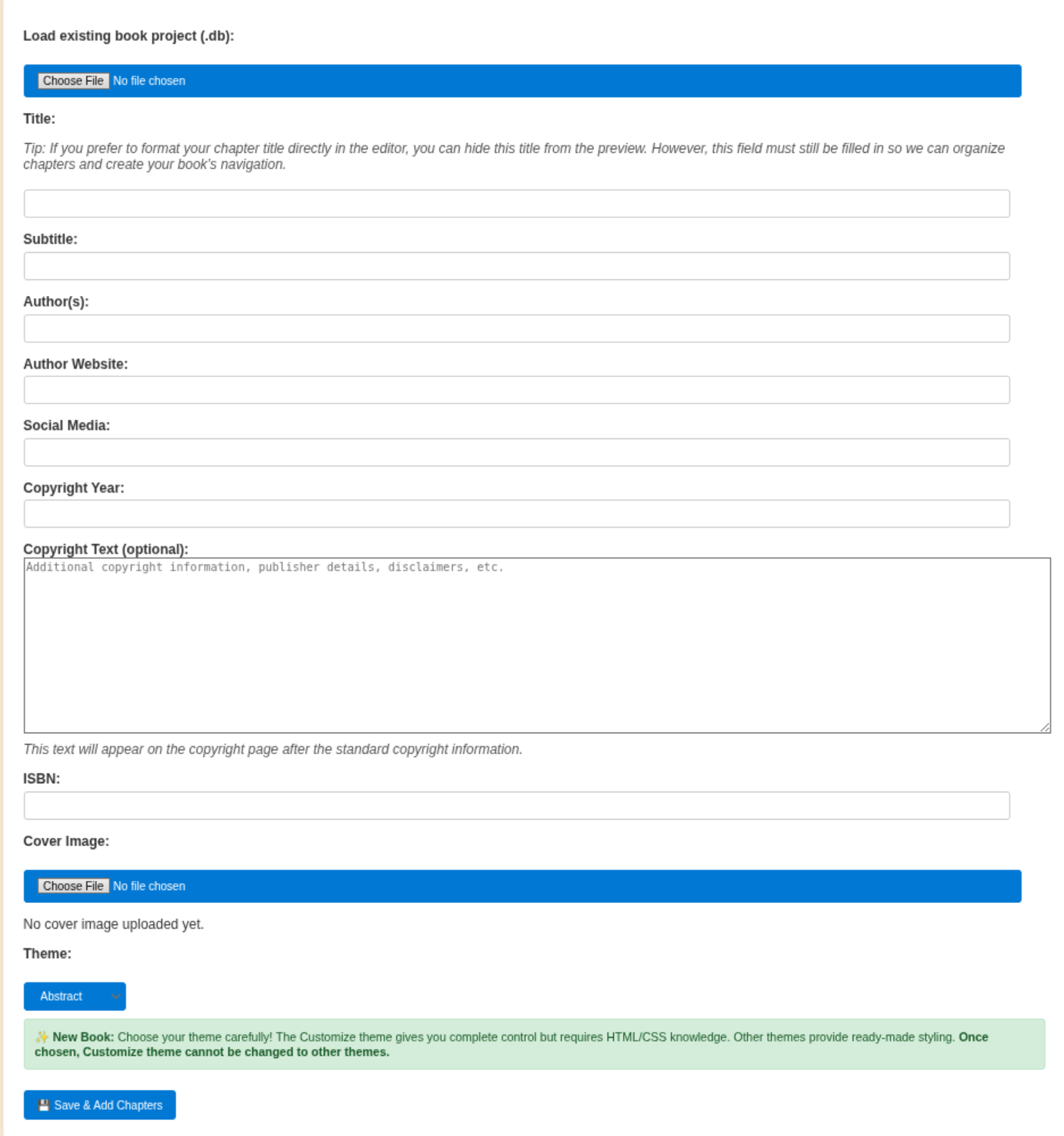
- Load Existing Project (Optional):
If you have a previously saved tBook project, use the file upload to load your .db file. This will pre-fill the form with your saved data. - Title & Subtitle:
Enter the main title of your book. The subtitle is optional and can be used to provide additional context or a catchy phrase. The title is required for organizing chapters and navigation. - Author(s) & Website:
List the author(s) of the book. You can also provide an author website for readers to learn more about you or your work. - Social Media:
Add any social media handles or links you want associated with your book. This helps readers connect with you online. - Copyright Year & Text:
Enter the copyright year and any additional copyright information, disclaimers, or publisher details. This will appear on the copyright page. - ISBN:
If your book has an ISBN, enter it here. This is optional but recommended for published works. - Cover Image:
Upload a cover image for your book. This image will be shown in the reader and on the copyright page. - Theme:
Choose a theme for your book's appearance. All themes can be customized using the Visual Style Customizer below to adjust colors, fonts, and other visual elements without coding. - Visual Style Customizer:
Use the visual customizer below the theme selector to personalize your book's appearance with custom colors, fonts, gradients, and more - no CSS knowledge required! - Save & Add Chapters:
When you’re done, click the "Save & Add Chapters" button to save your book details and move on to writing chapters.
Tips & Best Practices
- Fill out as much information as possible for a professional-looking book.
- Use the backup and download options regularly to save your progress.
- Preview your book using the "Book Reader View" to see how it will look to readers.
- For help or more details, see the tBook Documentation.
💡 Need Help?
Most documentation includes video examples to guide you through the process.
If you need additional assistance or have questions:
 DM me for questions